
Spotify VPN: Never Skip a Beat on Privacy
Skip past online snoops and ISP monitoring when you pair Spotify with PIA VPN
- Help keep your Spotify activity more private on public Wi-Fi
- Check out all your recommended playlists with unlimited VPN data
- Stream more securely on all your devices with one subscription
- 30-day money-back guarantee for new subscribers

How to Use a VPN for Spotify in 3 Simple Steps
Connecting to a PIA VPN server is as easy as singing along to your favorite song
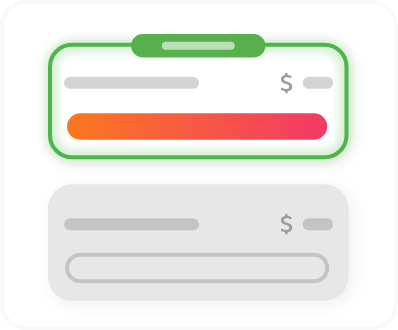
Step 2
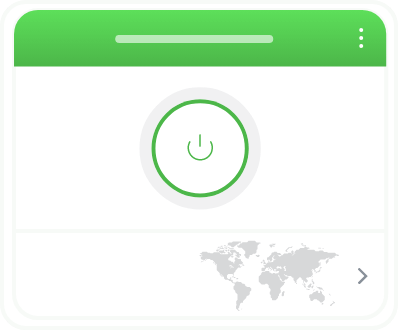
Sign in and connect to a VPN server.
Step 3
Listen to your favorite tracks with more privacy.
Why Use a VPN for Spotify?
A VPN offers more than one benefit when you’re listening to Spotify. It encrypts your internet traffic between your device and the VPN server, limiting what your ISP and others sharing your connection can see about your online activity.
Listen With More Privacy
VPN encryption makes it difficult for your network provider or anyone else with access to your network to monitor your activity or keep a record of what you do online.

Avoid Throttling
Some ISPs watch your connection for signs of streaming activity, and may slow your connection as a consequence. PIA’s strong VPN encryption helps you avoid this kind of interference.
Reduce Public Wi-Fi Risks
Unsecured public Wi-Fi networks can expose your data to nosy third parties and bad actors. PIA VPN adds an extra layer of protection to your browsing while you listen.
Why Choose PIA as Your Spotify VPN?

Global Server Network
It’s easy to find a server nearby or anywhere you need one with PIA’s global VPN server network spanning 113 countries.

Fast Connections
Stream the highest quality your connection and plan support. Our high-performance 10-Gbps servers help keep your Spotify buffer-free.

Unlimited Bandwidth
Keep the music going without worrying about a VPN cap. You can listen all day long with PIA’s unlimited VPN data .
.png)
Your Privacy First
Your Spotify Unwrapped is none of our business. Our court-proven No-Logs policy means that we never collect, store, or report your browsing activity.

Split Tunneling
Use our VPN for Spotify and your regular connection for everything else with PIA's split tunneling feature on supported devices.

24/7 Customer Support
Get answers to your questions about playback and streaming with PIA anytime. Our team of VPN experts is available via live chat and email.

Why Is Spotify Blocked or Unavailable?
Spotify is unavailable in several countries for different reasons. Some countries actively censor the platform or limit citizens' exposure to its content. For others, Spotify may be unavailable due to things like economic sanctions or limited commercial appeal.
You may also find Spotify blocked by individual networks. In this case, an intentional block on Spotify is usually in place to prevent distractions or conserve bandwidth. This is common in schools, universities, offices, and on public Wi-Fi.
How to Update Your Spotify Country or Region
If you've moved countries, you can update your Spotify account to match your new location. Switching to a VPN server in another country doesn't update your account region.
- Spotify Free: Open Edit profile, choose your new country or region, and save. Spotify notes that the new country or region only shows when you're actually there.
- Spotify Premium: You may need a payment method issued in your new country. Payment changes take effect from your next billing date.


Spotify Not Working With Your VPN?
A playback problem doesn’t always mean your VPN is the cause. These quick checks can help you narrow it down.
- Restart and update Spotify: Close the app, check for updates, and try playing again.
- Compare connections: Disconnect the VPN and test Spotify. If the problem continues, check your internet connection and Spotify’s service status.
- Try another nearby server: If playback only struggles with the VPN connected, try reconnecting through another PIA server in your country.
- Clear Spotify’s cache: Cached data can sometimes cause loading or playback issues. Clear the app cache on your device, then try again.
Still stuck? Our 24/7 support team can help.
Use Spotify With a VPN on All Your Devices
Add privacy to your playlists across all your personal devices with PIA’s native VPN apps for Android, iOS, Windows, macOS, and Linux. You can also configure PIA on a compatible router to use the VPN with the devices connected to your home network, including those that don't natively support VPN apps like game consoles.
Spotify VPN: Frequently Asked Questions
Yes, Spotify generally works over a VPN connection as long as you have a valid account and are in a location where the service is available. Compatibility varies, though. It’s a good idea to use a reputable VPN for streaming like PIA.
Yes, you can use Spotify at school or work if they allow it. Check the network's policy first as some networks restrict streaming to prevent distractions and conserve bandwidth. If you’re permitted to stream, a VPN's encrypted connection can make it harder for your network provider to see what you’re doing, giving you more privacy while you listen.
The best VPN for Spotify is one that's fast, has servers in your region, and has no data caps. PIA combines 10-Gbps servers in 113 countries worldwide with unlimited bandwidth, so you can settle in for longer listening sessions.
No, connecting to a VPN server somewhere else doesn’t change your Spotify country. To change your region, you need to update your Spotify account settings.
No, a VPN can't improve sound quality or raise your baseline internet speed. The only reason it may improve your streaming experience is if your ISP is throttling your streaming traffic. VPN encryption makes it difficult for your ISP to monitor your activity and selectively slow down your Spotify traffic, helping to keep your internet speeds steady.
Trusted By Millions Of Satisfied Customers
Here's a small sample of our most positive user reviews. All Trustpilot reviews are available here.
{"tweetsBtnText":"{Tweets}","userBtnText":"{User Reviews}","influencersBtnText":"{Influencers}","techReviewsBtnText":"{Tech Reviews}"}REVIEWED BY:


Choose The Plan That's Right For You
 All Plans Are Covered By Our 30-Day Money-Back Guarantee
1 Month
$11.95/mo3 Years + 3 Months EXTRA
$2.03/mo1 Year
$3.99/mo Covered By Our 30-Day Money-Back Guarantee*
All amounts are shown in USD, and any discounts reflect a reduction based on the current monthly service pricing at $11.95 per month.
*The 30-day money-back guarantee is available to new subscribers only; for subscriptions purchased via third-party app stores (e.g., Apple App Store, Google Play Store), refunds are subject to their respective terms and conditions.
Don’t Let the Past
Haunt You®
Try PIA Risk-Free
New users are covered by our 30-day money-back guarantee.
If you’re not satisfied, request a refund.

Per our Terms of Service, using PIA VPN for illegal purposes is prohibited.